
Releasing lessons over time
A lesson can open a number of days after a member joins the course, or on a fixed date for everyone. Locked lessons show when they unlock on the course path.
On this page
Drip release keeps a course paced, so members learn one step at a time instead of rushing to the end.
Two ways to release
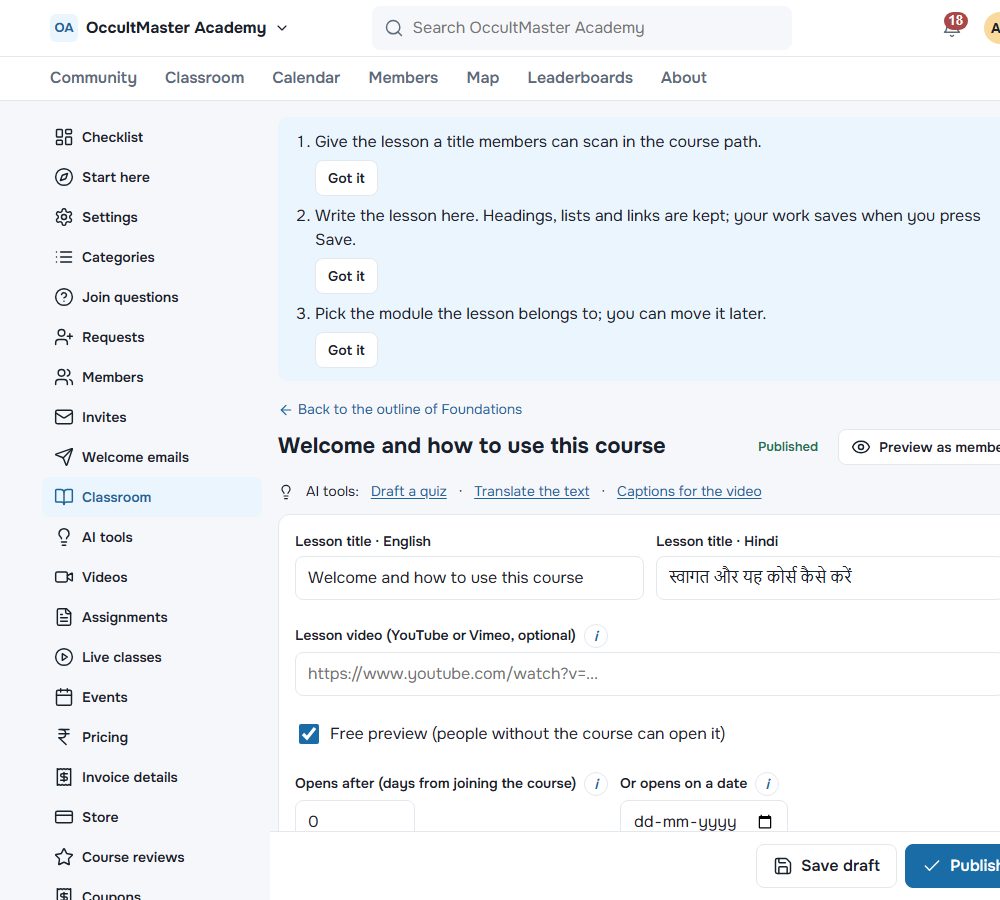
- Days after joining. In the lesson editor, set Opens after (days from joining the course). A member who joins today and a member who joins next month each get the lesson the same number of days in.
- On a date. Set Or opens on a date. The lesson opens for everyone at midnight, India time, on that day. This suits a batch that moves together, such as a course that starts on a festival day.
When both are set, the date wins.
What members see
On the course path, a locked lesson shows Unlocks on and its date. Its page shows the same date and nothing of the lesson itself. Videos, files and quizzes stay hidden until it opens.
You and your admins can always open every lesson, to check it before it reaches members.
We only count yes and no for each article. Nothing about you is stored.