
Member chat and the chat level
Members can message each other one to one inside your community. You decide the level at which chat opens, and anyone can block someone.
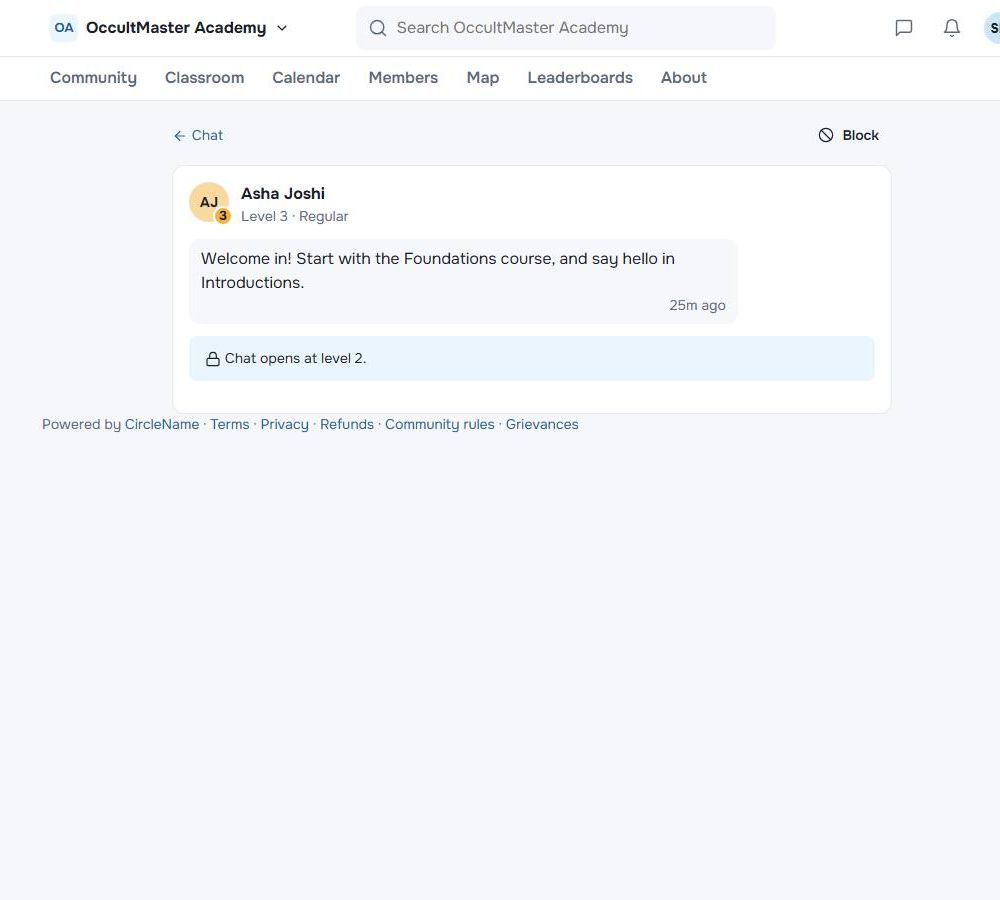
Chat is private, one-to-one messaging between members of the same community. It is not a group chat; group talk happens in the community feed.
Where it is
- The chat icon in the top bar, with a count of unread messages. It opens your latest conversations in a small panel.
- The Message button on a member's profile.
- On phones, More in the bottom bar, then Chat.
Chat only works between people in the same community.
Choose when chat opens
New accounts sometimes join only to send spam. A chat level stops that without bothering real members.
- Open Admin, Plugins.
- Set Chat opens at level. "Everyone" means chat is open from the first day.
- Click Save plugins.
Below that level, a member can read replies to them but cannot start new messages. The page tells them which level opens chat and that likes on their posts and comments move them up.
Blocking
Any member can block another from the chat. The blocked person can no longer send them messages. This needs no admin.
Your welcome message
Welcome message in Admin, Plugins is sent from you as a chat message to every new member. It is a good place for a short hello and one link to start with. Leave it empty to turn it off.
Good to know
- The community's admin screens do not show members' private messages.
- If someone reports abuse in chat, you can remove or ban them in Admin, Members.
We only count yes and no for each article. Nothing about you is stored.