
Choose a plan and understand the trial and fees
Two plans with the same features. The difference is the fee on what your members pay you. The first 14 days are free.
On this page
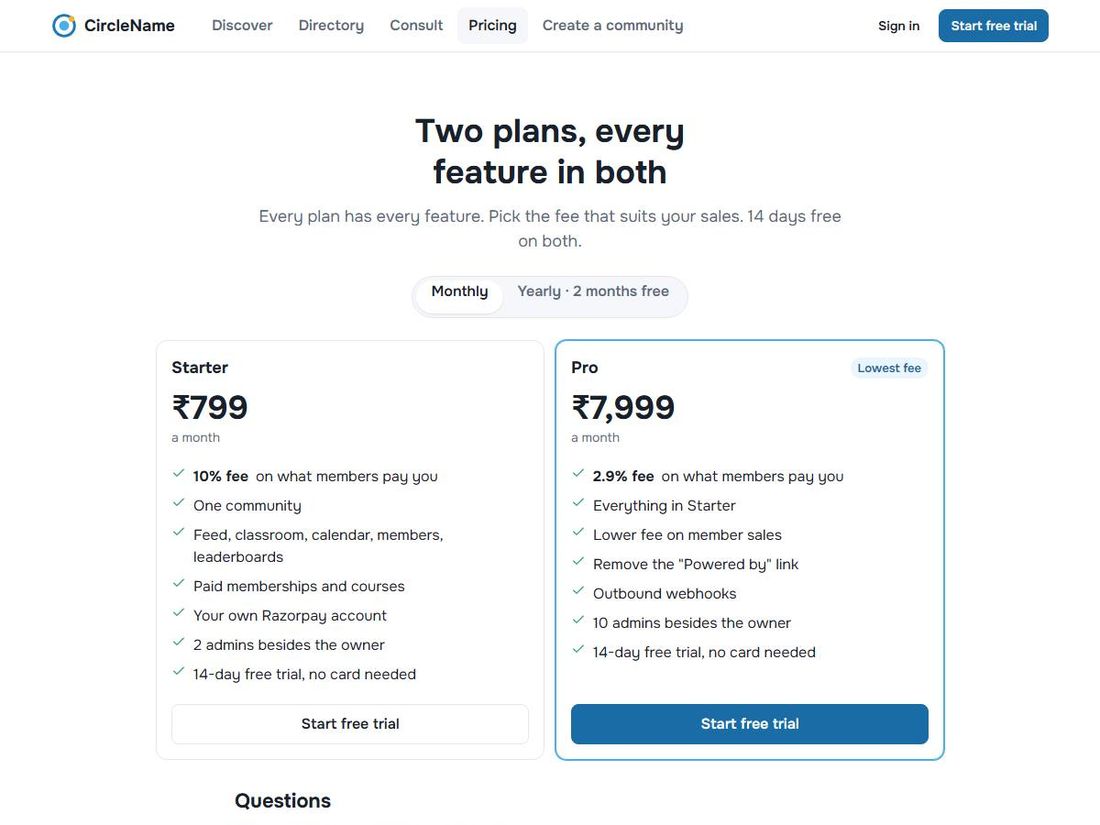
There are two creator plans, Starter and Pro. Both have every community feature. What changes is the fee on your member sales and a few extras on Pro.
The two plans
| Starter | Pro | |
|---|---|---|
| Fee on what members pay you | 10% | 2.9% |
| Community feed, classroom, calendar, members, leaderboards | Yes | Yes |
| Paid memberships and courses, your own Razorpay | Yes | Yes |
| The "Powered by" link at the foot of each page | Always shown | Can be removed (Admin, Settings) |
| Admins besides the owner | 2 | 10 |
| Outbound webhooks | No | Yes |
The monthly and yearly prices are on the Pricing page. Paying yearly costs the same as ten months. Prices include GST. The prices shown in this build are placeholders and may change before launch.
A member's invoice names you as the seller (your legal name, address and GSTIN, or "not GST-registered"): enter them in Admin, Invoice details before your first sale. The platform invoices you only for your plan and its fee on each sale.
How the trial works
- Your trial starts the moment you create a community. It lasts 14 days.
- Nothing is charged during the trial, and no card is asked for.
- In My account, Creator billing you see your plan, the days left and the date the trial ends.
- Before it ends, choose monthly or yearly and set up the renewing payment. The first charge happens on the day the trial ends.
How the fee works
- Members pay you, straight into your own Razorpay account. The platform never holds your members' money.
- For every member payment, the platform records its fee in a ledger: the amount, the fee percentage and the fee owed.
- Creator billing shows the fees owed and your recent member sales.
- How the fee is collected (a monthly invoice, for example) is not switched on yet. Today it is recorded only.
Switching plans
Open My account, Creator billing and use Change plan. During the trial the new plan applies at once. After the trial it starts with its first payment, when the period you have already paid for ends; until then your current plan and its fee stay.
If your plan payment fails
You get 7 days to pay. Members can keep posting during those days. After that, the community turns read-only for members until the plan is paid. You can still sign in and pay at any time, and everything comes back as it was.
We only count yes and no for each article. Nothing about you is stored.