
Points, levels and leaderboards: how they work and how to rename levels
One like is one point. Points move members through nine levels, which you can name, and levels can open courses, categories, events and chat.
Points reward the members who help others. They are kept plain on purpose.
How points are earned
- One like on a post or comment is one point for its author. Like is the thumbs-up. If you choose Helpful (a raised hand) in Admin, Look and tips, members earn points the same way.
- Liking your own post does not count.
- Taking a like back takes the point back. Points never go below zero.
The nine levels
| Level | Points needed |
|---|---|
| 1 | 0 |
| 2 | 5 |
| 3 | 20 |
| 4 | 65 |
| 5 | 155 |
| 6 | 515 |
| 7 | 2,015 |
| 8 | 8,015 |
| 9 | 33,015 |
Every avatar shows the member's level as a small number badge. In Admin, Look and tips you can show a thin ring instead, which fills towards the next level, with the number in a small seal on hover, focus or tap. Reaching a new level sends the member a notification.
Rename the levels
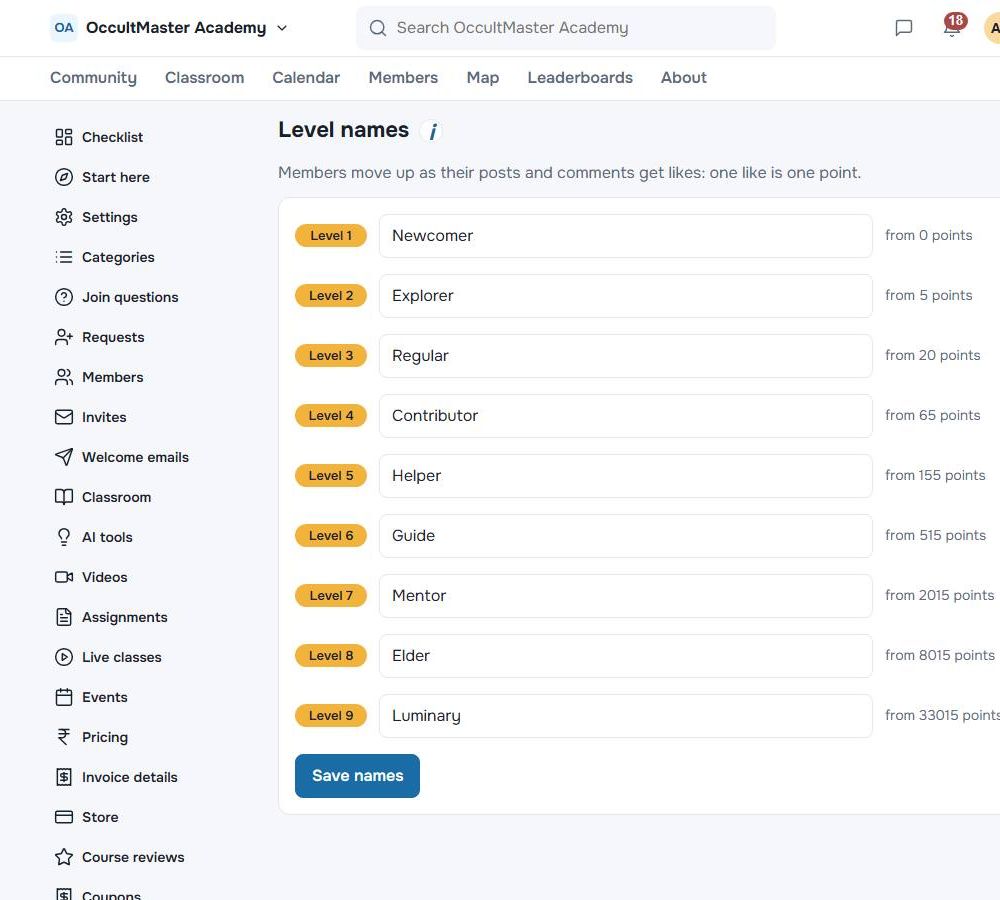
- Open Admin, Levels.
- Type a name for each level, for example "Seeker", "Student", "Practitioner".
- Click Save names.
A new community starts with names such as Newcomer, Explorer and Regular (Hindi names in a Hindi community). The points each level needs stay the same.
What levels can open
- A course set to "Members at a level".
- A category with Unlocks at level, for posting there.
- An event for members at a level.
- Posting and chat, from Admin, Plugins (Posting opens at level, Chat opens at level). Comments are always open, so new members can earn their first points.
Leaderboards
Leaderboards (/leaderboards) ranks members by points earned in the last 7 days, the last 30 days and all time. Each member sees their own rank. Owners and admins are not ranked, so the board shows your members. Below the ranking, a panel shows how many members are at each level and what each level opens. Beside the feed, the community's card shows the top five of the last 30 days.
If you choose the names Discussions, Live and Progress in Admin, Look and tips, this tab is called Progress and lives at /progress. Old links to either address take members to the right one.
We only count yes and no for each article. Nothing about you is stored.