
Renewals, failed payments and grace days
Monthly and yearly plans renew by themselves through Razorpay. When a payment fails, the member keeps access for a few grace days and gets emails before anything pauses.
On this page
Members on a monthly or yearly plan are charged again automatically through your Razorpay account. Each successful charge becomes a paid order with a receipt, extends their access, and records the platform fee.
When a renewal fails
- Razorpay tells your community that the charge did not go through.
- The member's status becomes Payment due and their grace days start. They keep full access during this time.
- They get an email saying the payment failed, with a link to pay now. Their billing page says Razorpay will try again and offers Finish paying.
- The day before grace ends, they get a second email: access pauses tomorrow.
- When grace ends without payment, access is paused. The member is still in the community but cannot open paid content.
- A later successful charge, by Razorpay's retry or by the member paying, restores access at once.
Set your grace days
- Open Admin, Plugins.
- Set Payment grace: the days a paying member keeps access after a payment is due. The default is 3 days; you can choose 0 to 30.
- Click Save plugins.
Members stopping, upgrading and downgrading
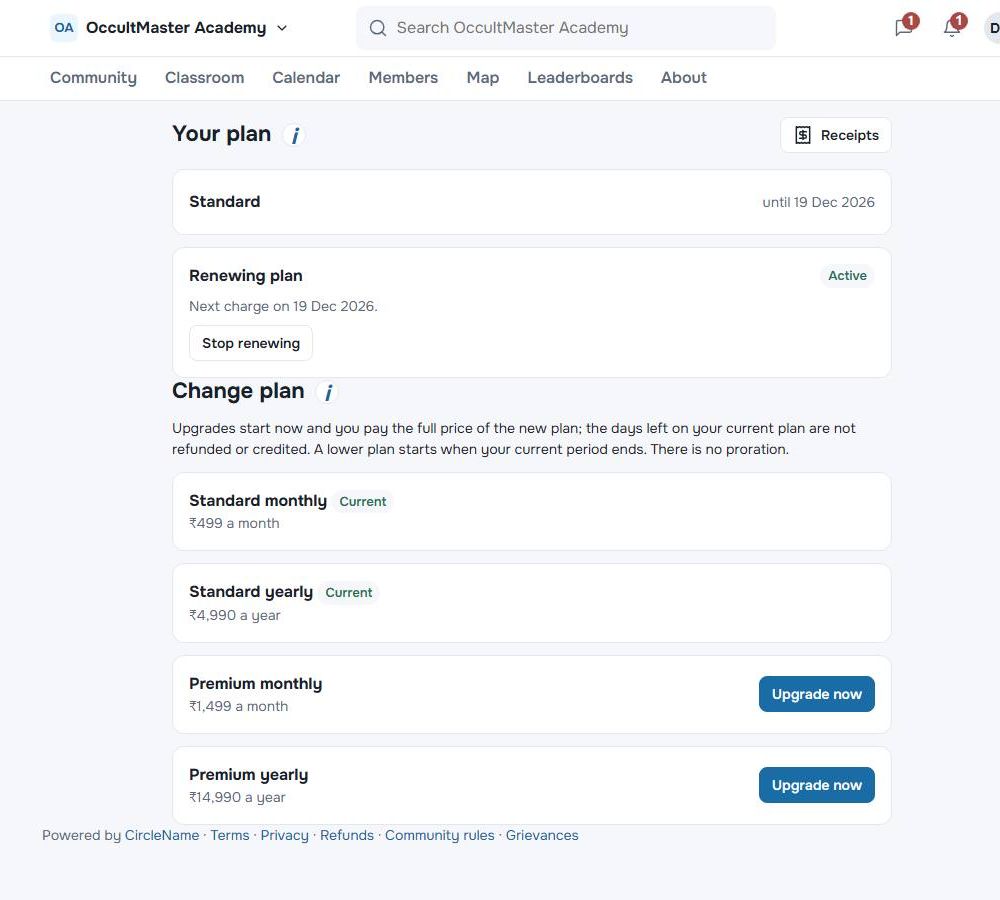
- Stop renewing: the plan stops at the end of the period they paid for. Nothing more is charged, and access lasts until then.
- Upgrade now: the new plan starts at once at its full price. The days left on the old plan are not refunded or credited.
- Switch at period end: a lower plan starts when the current period ends.
There is no proration. The members' change-plan page says this in plain words before they confirm.
Refunds
Refund from your Razorpay Dashboard. The refund takes the access back, reverses the platform fee and reverses any affiliate commission for that payment.
Your own plan
Your creator plan works the same way with 7 grace days. After that, your community turns read-only for members until you pay; you can always sign in and pay.
We only count yes and no for each article. Nothing about you is stored.