
Moving your school from WordPress or TagMango
The platform team can bring a WordPress site with LearnDash and BuddyBoss, or TagMango's customer and order files, into your community. Students keep their passwords, progress and certificates, and nobody is emailed.
On this page
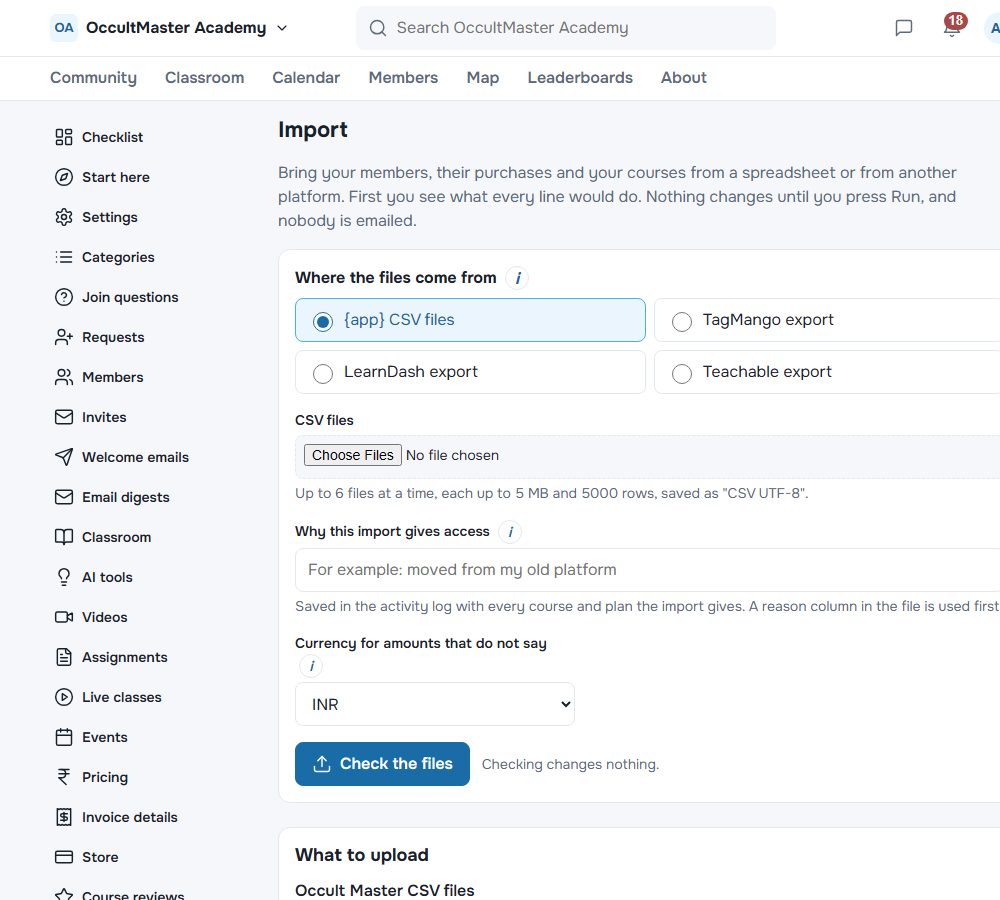
If your school runs on WordPress with LearnDash courses and BuddyBoss forums, or on TagMango, the platform team can move it into your Occult Master community. Ask on the Contact page: open the support chat and say where your school runs now. The move itself is done by the platform's owner.
What comes over
- Students: their accounts and membership of your community. They sign in with the email and password they already use.
- Profiles: name, photo, bio and social links.
- Forums: each forum becomes a category, each topic a post and each reply a comment, with the original authors and dates.
- Courses: lessons become modules, topics become lessons, quizzes become quiz lessons. Enrolments, lessons done, quiz scores and certificates come too; a certificate keeps its number and still verifies.
- Old links: each old course, lesson and forum address sends visitors to the same page here.
- TagMango: customers become members and orders become purchase history, with the access the platform team chooses for each product.
Private messages and payment data stay behind.
MemberPress and WooCommerce
If your old site sold memberships with MemberPress or products with WooCommerce, those come over too:
- Memberships become plans of your community, hidden at first, with their old prices for the record. You set up selling here.
- Members keep their memberships with the dates they had: when each started and when it ends (or "for life").
- Access rules that kept a LearnDash course or a forum for a membership's holders do the same here: the course or category is closed to everyone else, and the holders get in until their membership ends. Rules that protected pages, tags or web addresses are listed in the report, so you can set those by hand.
- Transactions and orders become purchase history, with their status (paid, waiting, cancelled, failed, refunded). Each member sees their own on their Billing page, marked as from the old site.
- Paid WooCommerce orders give what they bought; a product that opened a course opens it here.
- Products (published ones) become store items, switched off until you check each one's price and delivery.
- Coupons are kept for your records only. Nobody can use them here; make new ones in Admin, Coupons.
Old purchases are history only. They are never charged again, never refunded through a payment provider, and never counted as revenue or fees here. Card and bank details never come over.
How it goes
- A dry run against your real community that only reads: a report of what would come over, what would be skipped and why. Nothing changes.
- You check the counts against your old site.
- The weekend run into your real community. The old site turns read-only for 30 days, and its member pages send people here.
Running the same export again is safe: nothing is doubled. A run can be rolled back.
Roles, groups, pages and addresses
- Roles: before the weekend run the platform team maps each old role. By default Numerologers, Participants, Subscribers and Customers become members, coaches become teachers, and Spammers come in blocked, with their posts left behind. Administrators and Keymasters come in as members until the platform's owner confirms each one as staff.
- Waiting and suspended people: people still waiting for approval on the old site wait in your join requests; people suspended there stay suspended here.
- Profile fields and member types: the fields people filled in show as sections of their profile in your community; a member type such as Coach sets their account type.
- Connections: people connected on the old site stay connected.
- Social groups: each group becomes a category of your community. A private group's category opens only to its members.
- Activity feed: status updates and their comments become posts and comments. The site's own records, such as "joined" or "changed their photo", stay behind.
- LearnDash groups: each group becomes a batch of its courses, with its students in it.
- Blog posts and pages: blog posts go to the platform blog, and published pages become your community's pages. A page built with Elementor comes as clean text and pictures, marked "Check the layout" on Admin, Pages until you save it.
- Search titles and old links: Rank Math titles and descriptions come with each page, and every old address, including the old redirect rules, sends visitors to the new page.
No emails
Nobody is emailed during a move. Tell your students yourself, in your own words. The platform team has two short drafts, one for before and one for after.
We only count yes and no for each article. Nothing about you is stored.