
Pay, change plan, cancel and get receipts
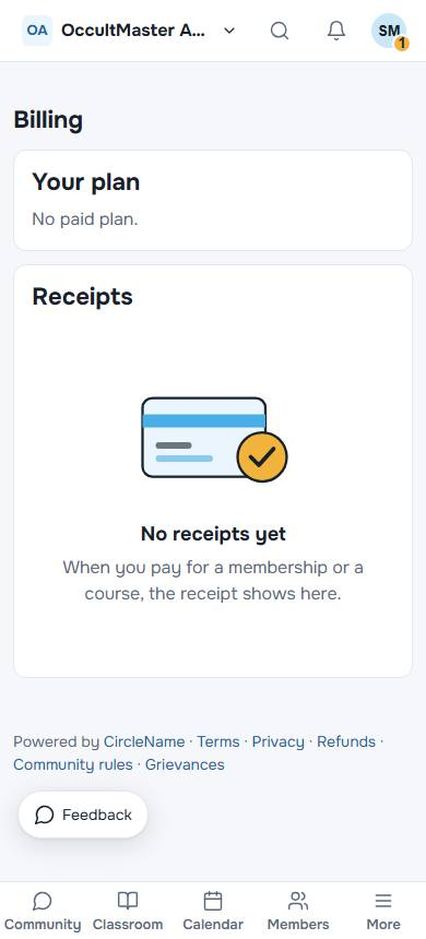
You pay the community's owner directly through Razorpay. Your billing page shows your plan, your next charge and your receipts, and lets you change or stop your plan.
When you pay in a community, you pay its owner directly through Razorpay. The owner is the seller; the platform does not hold your money.
Paying
- Choose a plan when you join, or from Billing in your menu.
- At checkout, check the Name on the receipt. Add a Coupon if you have one.
- Buying for a business? Tick Buying for a business (GST invoice) and add your state code and billing address.
- Tap Continue to payment and pay in the Razorpay window (UPI, card or net banking, as the owner allows).
Monthly and yearly plans renew by themselves until you stop them. A course bought on its own, or a lifetime plan, is paid once and is yours for good.
Your billing page
Open your picture menu, then Billing. You see:
- your plan, and the date it renews or ends;
- Next charge on a date, for a renewing plan;
- your Receipts, each with a link to the receipt or invoice.
My account, Purchases on the main site lists what you bought in every community.
Change your plan
Tap Change plan.
- Upgrade now: the higher plan starts at once and you pay its full price. Days left on your current plan are not refunded or credited.
- Switch at period end: a lower plan starts when your current period ends.
There is no proration. The page says this before you confirm.
Stop renewing
Tap Stop renewing and confirm. Nothing more is charged, and you keep access until the end of the period you paid for.
If a payment fails
The billing page says the last payment did not go through. Razorpay tries again, and you can tap Finish paying yourself. You keep access for a few grace days set by the community; you get an email before access pauses. A later payment brings everything back at once.
Refunds
Refunds are the community owner's decision, under their own refund policy. Ask the owner or an admin. A refund ends the access it paid for.
We only count yes and no for each article. Nothing about you is stored.