
Privacy: what other members can see, download or delete your data
Other members see your name, picture, level and what you post. Your email stays with the community's admins. You can download everything or delete your account in My account, Your data.
On this page
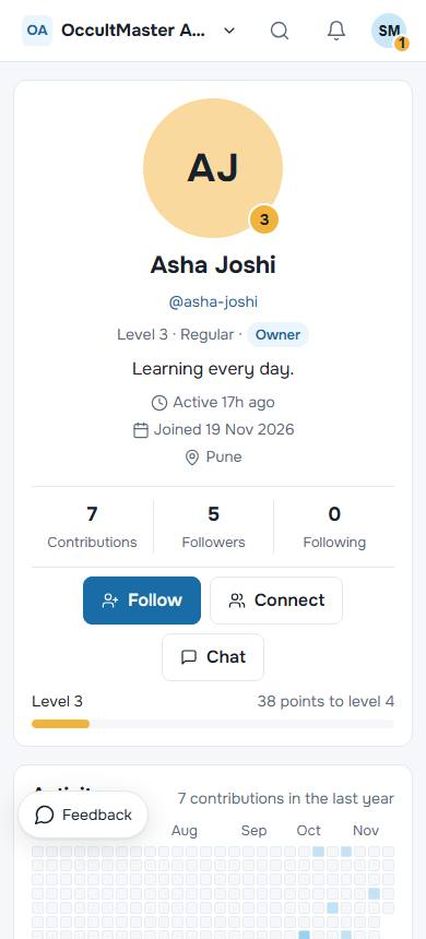
What other members can see
Inside a community, other members see your profile there:
- your name and picture;
- your bio and location, if you added them in My account;
- your level, your points and the date you joined;
- your recent posts and comments in that community;
- the communities you have in common with them;
- your answers to the community's profile questions, only those you ticked Show on my profile.
On the Map page, your city shows only if you chose to show it. Only the city is shown, never an address, and Remove me takes you off the map any time.
Other members do not see your email address, your payments, or your communities that you do not share with them.
What the community's admins can see
The owner and admins of a community also see your email, your plan and payments in that community, your answers to the join questions, and any notes they keep about members. Their admin screens do not show your private chat messages.
Download your data
- On the main site, open My account, then Your data.
- Click Download my data. You get one file with your account and everything of yours in each community: posts, comments, likes, points, events, messages, plans and purchases.
Delete your account
- In My account, Your data, find Delete my account.
- Type DELETE in capitals, then enter your password. No password? Click Email me a code instead and type the code; it works for 10 minutes.
- Click Delete my account.
If you are the only owner of a community, the screen says so: make another admin an owner first (in that community's Admin, Members), then delete your account.
Deleting removes your account, profile, posts, comments, likes, points, messages and memberships in every community. Invoices and the records of payments stay, as the law requires, with your account number only.
You have 30 days to change your mind. Until then you are signed out everywhere and hidden, and signing in again brings everything back. After that, your data is erased. The screen shows the number of days before you confirm.
Leaving one community
A button to leave a single community is not on the screens yet. Until it is, ask that community's admins to remove you, and stop a paid plan from Billing in that community first.
We only count yes and no for each article. Nothing about you is stored.